
Gold
How to Add XAUUSD to MT5: Find the Right Gold Symbol
How to add XAUUSD to MT5 through Market Watch, read its specification, and decode suffixes like XAUUSD.m so you pick the right gold symbol.
7 min read
Read more →
A forex expert advisor is a program that trades your written rules on MT5. See what it automates, what it cannot judge, and where automated strategies fail.
A forex expert advisor, usually shortened to EA, is a program that places and manages trades for you on the MetaTrader platform. It follows rules written in code, so it never gets tired, hesitates or skips a setup. It also never questions whether the rules were any good.
This article explains what a forex EA is, how an MT5 EA runs, what automation genuinely improves, and the ways it fails. It makes no claims about profit, because an EA is only a faster way of executing whatever idea you give it.
An expert advisor is a small program that lives inside the MetaTrader terminal (the trading platform most retail forex brokers offer). In MetaTrader 5 it is written in a language called MQL5. You attach it to a chart, and from then on it watches that chart's price and acts on it.
Inside, an EA is a set of if-then rules. If price closes above the 50-period moving average and the spread is below a limit, then open a buy position of a calculated size with a stop loss (the price where the idea is proven wrong) at a set distance. The program has no opinion. It checks the conditions and acts.
People also call this a forex robot, a trading bot or an automated strategy. The words differ but the idea is the same: rules first, then code. If you have not yet written your rules in plain language, start with the lesson on turning an idea into written rules, because an EA cannot rescue a vague idea.
An MT5 EA is a loop. Each time a new price tick arrives, the program wakes up, reads the market and your open positions, decides whether any rule fires, and sends an instruction to your broker's server. Then it waits for the next tick.
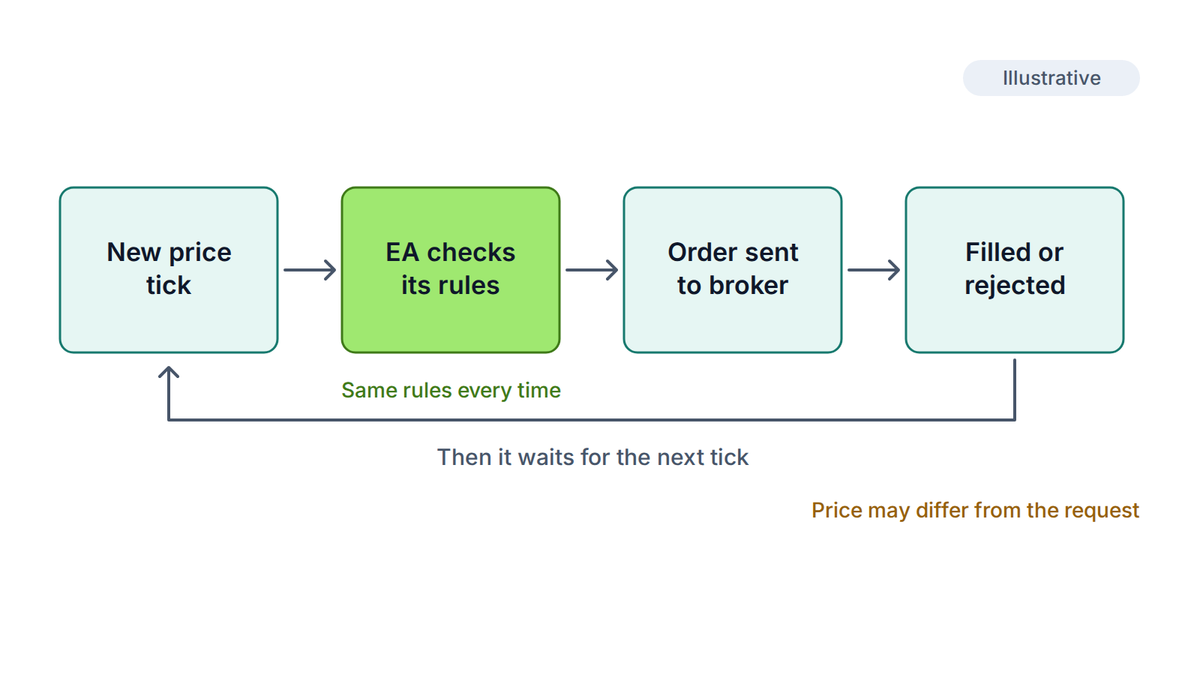
Setting it up follows a fixed path. You write or download the source file (extension .mq5), compile it in MetaEditor, which turns it into a runnable .ex5 file, and drag it onto a chart. You then switch on the Algo Trading button in the terminal toolbar. If that button is off, the EA is loaded but cannot place trades.
Three details trip up new users. An EA runs on the chart and symbol it is attached to, so one EA on EUR/USD does not watch gold. It only works while the terminal is open and connected. And a hedging account (which allows opposite positions on one symbol) and a netting account (which merges them into one) can behave differently, so the code has to match your account type.
The MT5 Strategy Tester is the built-in way to replay an EA on historical data. It offers several modeling levels, from every tick to bars only. Faster modes are less accurate on short-term logic, so choose the mode that matches how precise your rules are. The article on backtesting trading strategies covers how to run a test without fooling yourself.
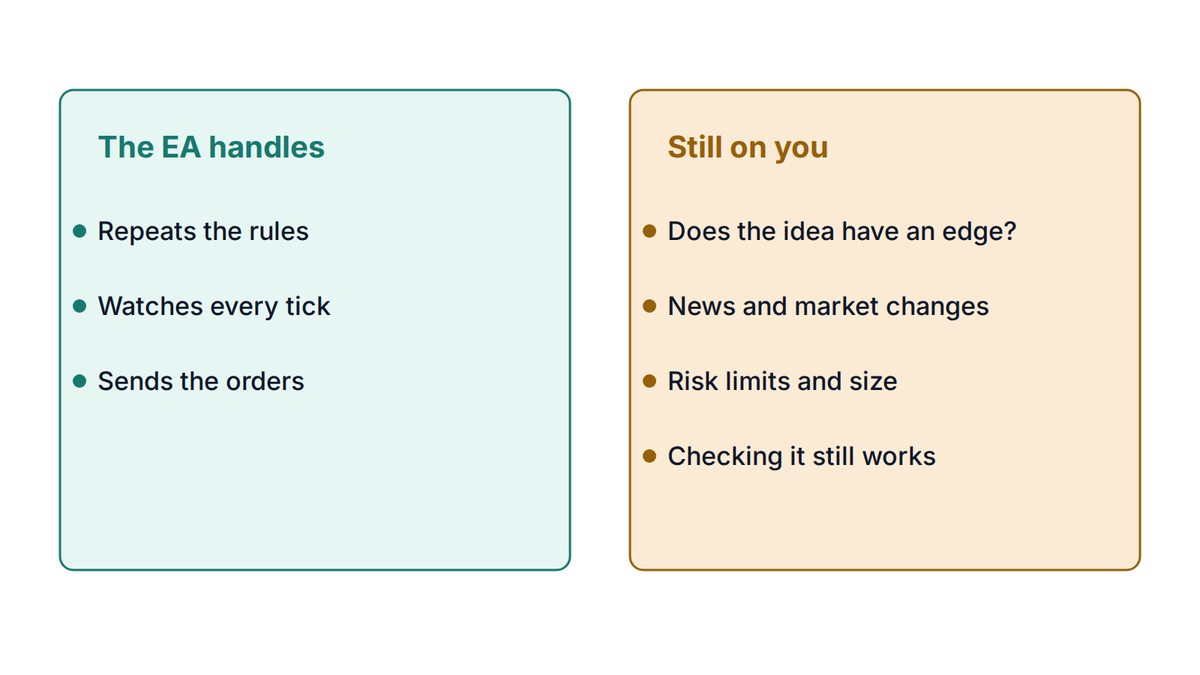
Automation earns its place because it fixes the execution problems that are about people, not markets. These are real benefits, and they are the whole case for building one.
Notice what this list does not say. Nothing in it says the trades will be profitable. Consistency applied to a losing idea produces consistent losses, only faster and with less drama.
The limits matter more than the benefits, because they are where money is lost. An EA is blind to anything you did not put into its rules.
Many simple EAs ship with a fixed lot setting (a lot is a standard trade size; one standard lot is 100,000 units of the base currency). Fixed lots are easy to code and quietly dangerous, because the dollars at risk depend on the stop distance, which changes with the market.
Take the site's usual example: a $2,400 account and a goal of risking 1% per trade, or $24. An EA trades EUR/USD at a fixed 0.10 lot, where each pip (the standard unit of price movement, 0.0001 on this pair) is worth about $1. See what that does as the stop distance changes.
| Stop distance | Loss at fixed 0.10 lot | Share of $2,400 | Lot size for 1% risk | Loss at that size |
|---|---|---|---|---|
| 20 pips | $20 | 0.83% | 0.12 lots | $24 |
| 50 pips | $50 | 2.08% | 0.04 lots | $20 |
| 100 pips | $100 | 4.17% | 0.02 lots | $20 |
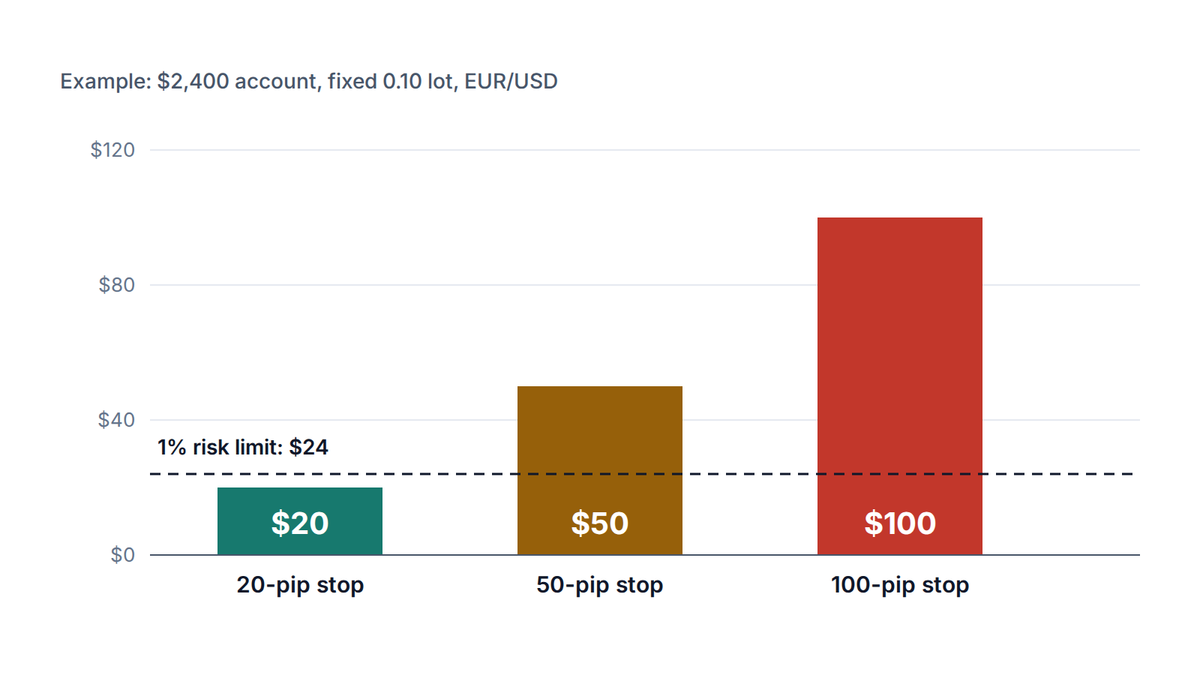
A well-built EA calculates its lot size from the account balance and the stop distance on every trade, as in how to size a position. You can check any figure yourself with the lot size calculator. Also build in a daily loss limit and a cap on open positions, so a bug or a bad run cannot empty the account in a day.
Watch for martingale and grid logic
Some EAs double the lot size after each loss or keep adding to losing positions. This can produce a long run of small wins and then one loss big enough to trigger a margin call. If you cannot explain exactly how much the worst case loses, do not run it.
Most disappointing EAs share a few causes. None is a software fault. They are failures of testing and assumptions.
Selling points like "fully automated" or "works on any pair" say nothing about any of these. Treat a ready-made EA with the same suspicion you would give a stranger's strategy: ask for the rules in plain language, how costs were modeled, and whether the results come from live trading or only from a backtest. A screenshot proves very little.
The most reliable way to understand an EA is to build one from rules you wrote. You do not need to be a programmer to start. The EA builder on this site walks you through seven steps (style, market, entry, filters, exit, risk and review) and produces an MT5 source file you can read, compile and test.
It is an educational tool. It turns your rules into code, but it does not know whether those rules make money, and nothing it produces is a recommendation to trade. Treat the file as something to study and test, not as a finished product.
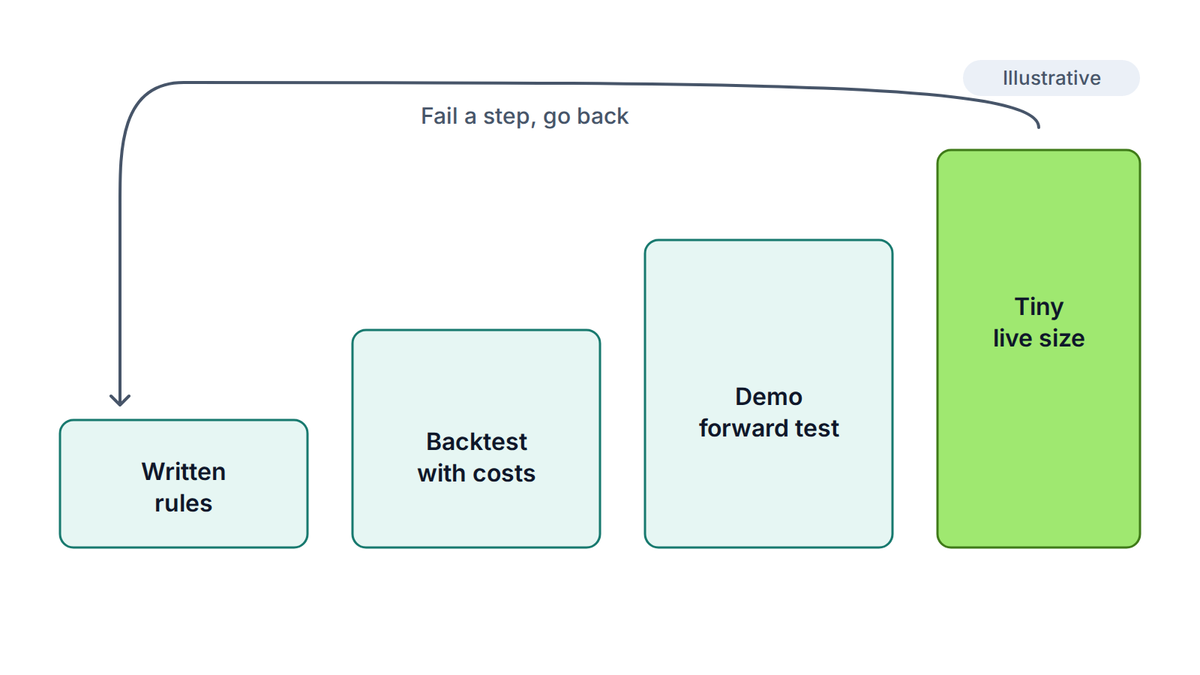
Check your drawdown limits before any live run. The drawdown calculator shows how much a given losing run takes off an account, and a worst case you could not stomach is a reason to cut the size, not to hope.
It is a program that runs inside MetaTrader, reads price data, applies fixed rules and sends buy or sell orders to your broker automatically. It can also manage open positions by moving stops or closing trades. It follows the rules it is given and does not judge whether they are sound.
Yes, in practice. Forex robot, trading bot, forex EA and automated strategy all describe a program that trades by rules. "MT5 EA" only says that it was written for MetaTrader 5, in MQL5. An MT4 version would use a different language and file type.
You can run an existing EA by attaching it to a chart, and you can generate one from a form such as the EA builder. Either way, you remain responsible for understanding the rules. Running code you cannot explain means you cannot tell a bug from a bad market.
It only works while the terminal is open, connected to the broker and with Algo Trading switched on. If the computer sleeps or the connection drops, the EA stops managing positions. Some traders use a virtual private server to keep the terminal running, which adds a small cost and a setup step.
They are not safer than manual trading, only faster. A beginner with an untested EA can lose money quickly and repeatedly. Learn the basics first, test on demo, use small size and a daily loss limit, and only trade money you can afford to lose.
The PipsMorrow Team
A team of writers covering XAU/USD gold trading education. We focus on explaining the mechanics and risk management in a structured way, with no trade signals and no promotion of any specific broker.
Last updated
How to add XAUUSD to MT5 through Market Watch, read its specification, and decode suffixes like XAUUSD.m so you pick the right gold symbol.
7 min read
Read more →Trading expectancy is what a strategy earns per trade on average. See how a 35% win rate can pay while a 70% win rate loses, with worked examples in R.
11 min read
Read more →Backtesting trading strategies means replaying rules on old charts. Learn how to do it step by step and avoid the traps that make a weak system look strong.
12 min read
Read more →Build on this article with the full gold trading curriculum, ordered from the basics to advanced topics, free.

